
E-commerce Tracking (GA4)

Complete GA4 E-commerce Tracking for OpenCart - No Template Edits Required
The E-commerce Tracking (GA4) module by AlexWaha implements the full Google Analytics 4 e-commerce event specification for OpenCart 2.3 through 3.x. It integrates entirely through the OpenCart event system - no OCMOD modifications, no theme file edits, no manual template changes. Install it, enter your GTM or gtag.js code, and every standard GA4 e-commerce event fires automatically.
Key Features
- Full GA4 event coverage - tracks all recommended e-commerce events:
view_item_list,view_item,select_item,add_to_cart,remove_from_cart,view_cart,begin_checkout,add_shipping_info,add_payment_info,purchase,search(withsearch_term),login,sign_up,add_to_wishlist, andadd_coupon - Zero template modifications - 17 OpenCart events are registered at install time; works with any theme and any checkout
- Per-event control - enable or disable each event individually across the Pages, Modules, Checkout, and Events settings tabs
- Page and module tracking - fires
view_item_liston category, search, manufacturer, special, compare pages and on Featured, Latest, Bestseller, Special, and AW Viewed modules - Purchase funnel protection - the
purchaseevent fires only once per order using a session flag, preventing duplicate reporting on page refresh - Built-in diagnostics - the Diagnostics tab validates all 17 registered events and GTM configuration in real time, showing OK or MISSING status for each entry
- Advanced options - include tax in prices, track shipping cost and coupons, send product options as
item_variant, and add custom dataLayer parameters via JSON - Debug mode - outputs all events to the browser console for development and QA
- Import/Export - back up and restore the full module configuration as a timestamped JSON file
Screenshots
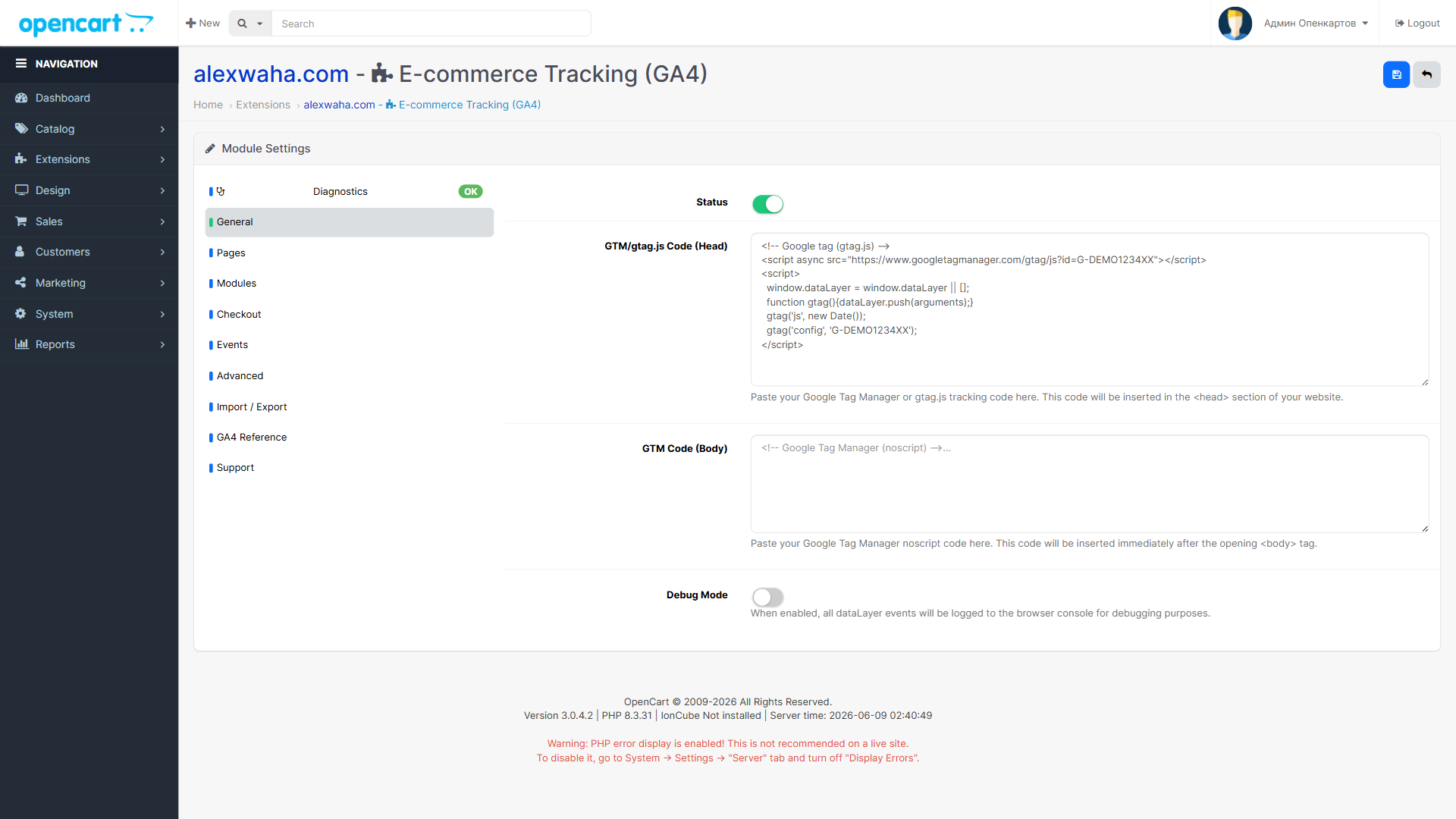
General tab - enter GTM or gtag.js code and enable debug mode
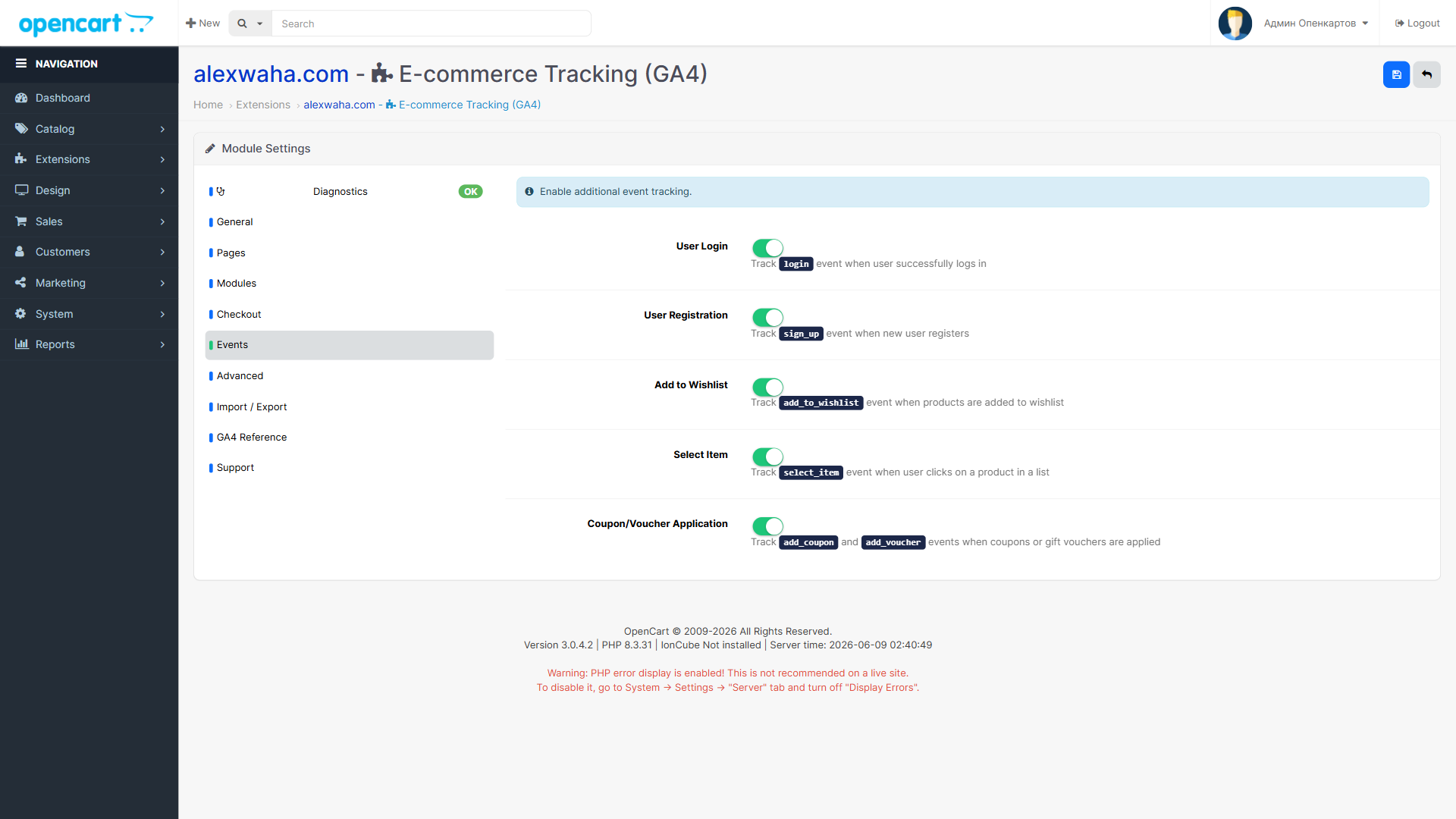
Events tab - toggle login, sign_up, add_to_wishlist, select_item, and coupon events individually
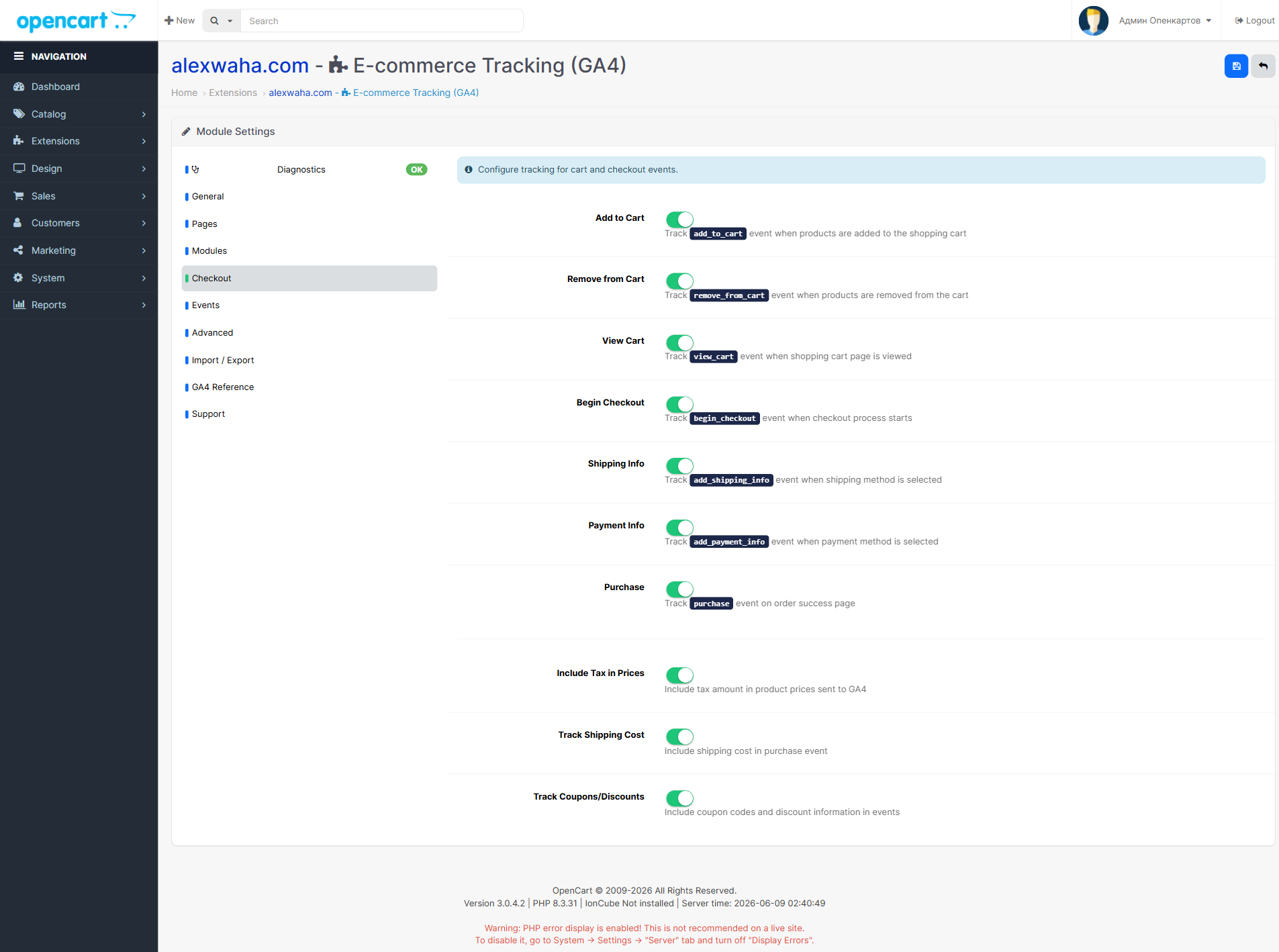
Checkout tab - configure the full purchase funnel from add_to_cart through purchase
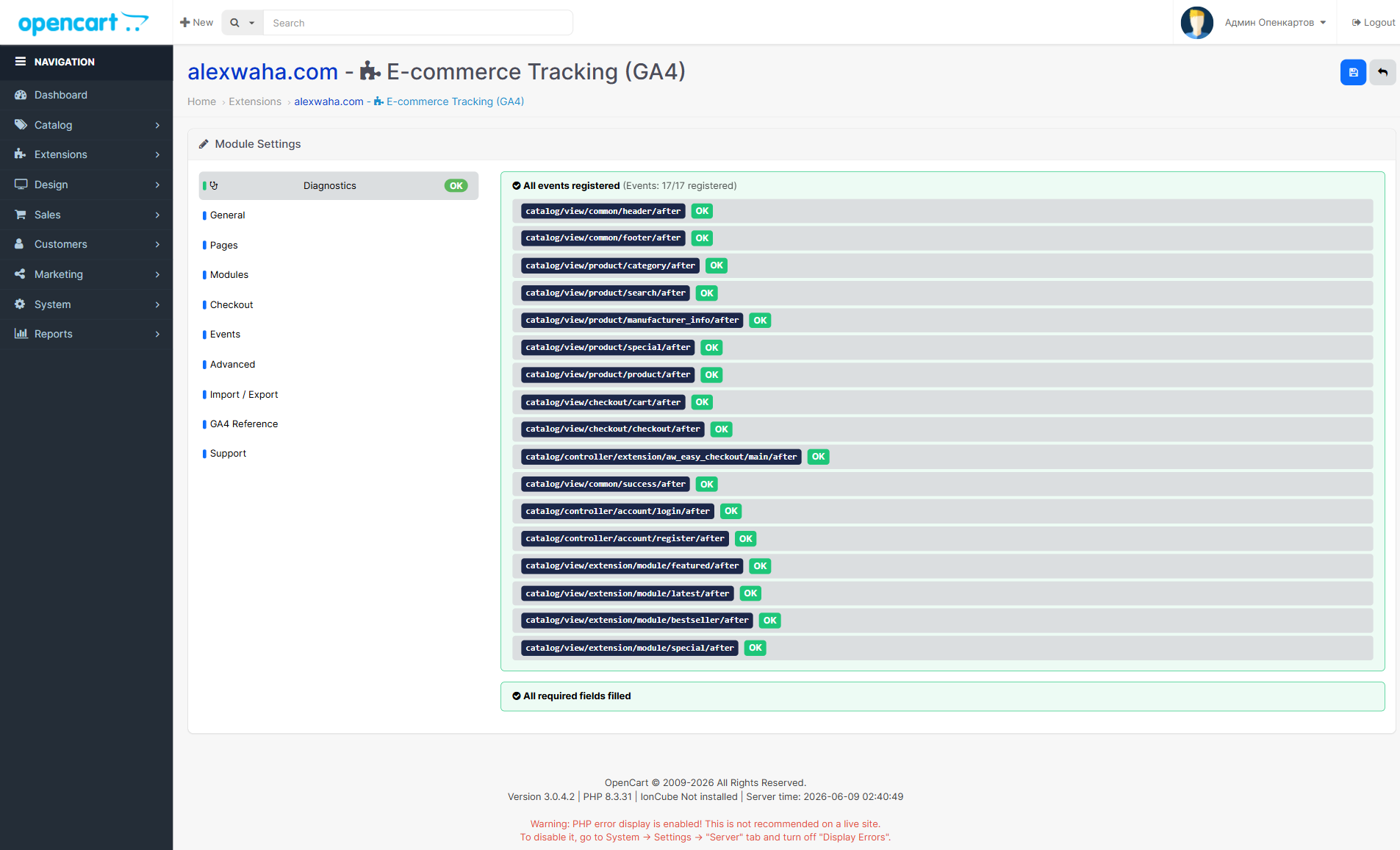
Diagnostics tab - real-time validation of all 17 registered events and GTM configuration
Try It in the Demo
This module is part of the AlexWaha OpenCart Bundle - a collection of productivity and tracking extensions for OpenCart store owners. Browse the demo store to see E-commerce Tracking (GA4) and the other bundle modules in action, then check the documentation for full setup instructions including GTM trigger and tag configuration.
Free and open-source
E-commerce Tracking (GA4) is part of the AlexWaha OpenCart bundle. Get the full source code, documentation and the ready-to-install ocmod package on GitHub.