
Global Layout

One layout, every page - manage site-wide modules from a single admin screen
Global Layout solves a common OpenCart headache: if you want a module to appear on every page, you normally have to assign it to each layout one by one. With this module you configure a single global layout, drop your chosen modules into any of six positions, and they appear everywhere - instantly, on every route in your store.
Key features
- Single shared layout applied automatically to all store pages
- Six positions: Full Width Top, Content Top, Column Left, Column Right, Content Bottom, Full Width Bottom
- Add any installed OpenCart module via a simple dropdown - no coding required
- Drag-and-drop handle to reorder modules within the same position
- One-click status toggle to enable or disable the entire global layout
- Auto-creates the required database tables when the module is first enabled
Admin interface
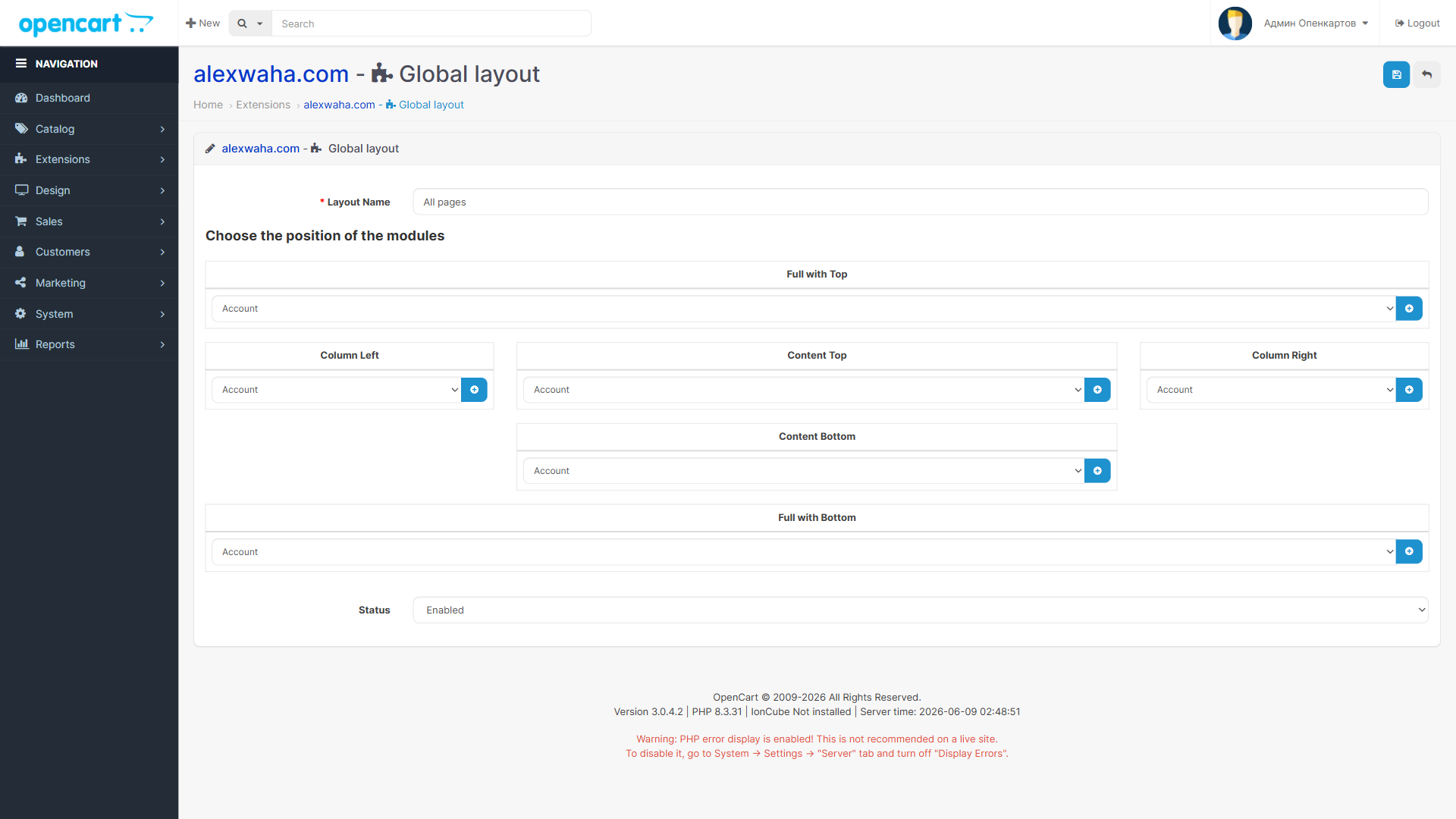
Admin configuration screen - assign modules to positions and drag to reorder
Part of the AlexWaha OpenCart module bundle
Global Layout is one of several free and premium OpenCart extensions developed by AlexWaha. All modules in the bundle share the lightweight aw_core library and follow the same clean install pattern: upload, refresh modifications, enable. Browse the full bundle to see what else you can add to your store without writing a line of code.
Free and open-source
Global Layout is part of the AlexWaha OpenCart bundle. Get the full source code, documentation and the ready-to-install ocmod package on GitHub.